
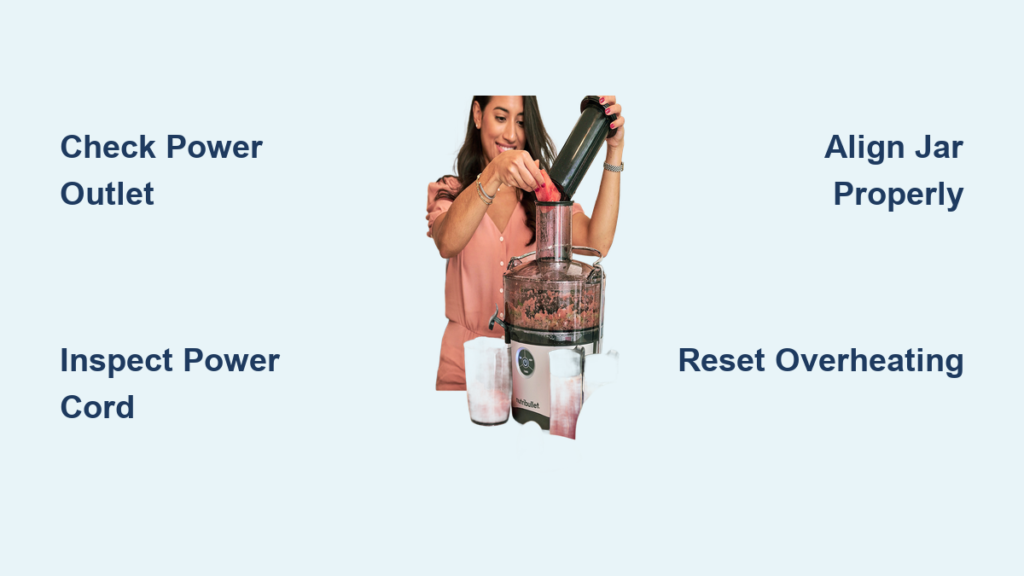
Your Nutribullet Juicer Pro has suddenly stopped working, and you’re left staring at a countertop appliance that won’t power up when you need it most. This frustrating situation happens frequently with high-speed juicers, but the good news is that many “dead” Nutribullet Juicer Pro units can be revived with systematic troubleshooting. Before you consider replacing your entire appliance, work through these specific diagnostic steps to identify and potentially fix the exact reason your juicer won’t turn on.
When your Nutribullet Juicer Pro fails to power up, the culprit usually falls into one of four categories: electrical supply issues, safety mechanism failures, overheating protection activation, or internal component damage. Understanding which category your problem belongs to will save you unnecessary disassembly and prevent wasted time on irrelevant fixes. This guide provides a logical progression of checks starting with the simplest solutions and moving toward more complex diagnostics—helping you determine whether your juicer needs a quick reset, component cleaning, or professional repair.
Verify Power Source Before Assuming Juicer Failure
Most “dead” appliance issues stem from basic power delivery problems rather than internal component failure. Jumping straight to disassembly without checking these fundamentals wastes valuable time you could spend juicing.
Test Wall Outlet Functionality with Another Device
Before blaming your juicer, confirm the outlet actually works by plugging in a different appliance that you know functions properly—a phone charger, small lamp, or kitchen timer. If that device doesn’t operate either, you’ve identified the problem: either a tripped circuit breaker or a failed outlet. Check your electrical panel for any tripped breakers, especially those labeled for kitchen circuits, and reset them before testing your juicer again.
Avoid using extension cords or power strips with your Nutribullet Juicer Pro, as these often deliver insufficient power for motor-driven appliances. These intermediaries can develop internal failures that prevent full voltage from reaching your juicer. Always plug the juicer directly into a wall outlet to eliminate potential weak links in the power chain.
Inspect Power Cord for Hidden Damage
Examine the entire power cord length for fraying, cuts, or kinks that might indicate internal wire breakage. Run your fingers along the cord to feel for irregularities that aren’t visible to the eye. Pay special attention to both connection points—the plug end and where the cord enters the juicer base—as these experience the most stress during regular use.
Critical warning: If you notice discoloration, melting, or burning smells at either connection point, unplug immediately and do not attempt further use. These signs indicate serious electrical problems that require professional evaluation before the appliance can be safely used again. Damaged cords present fire and shock hazards that shouldn’t be ignored.
Diagnose Safety Lock Mechanism Failures
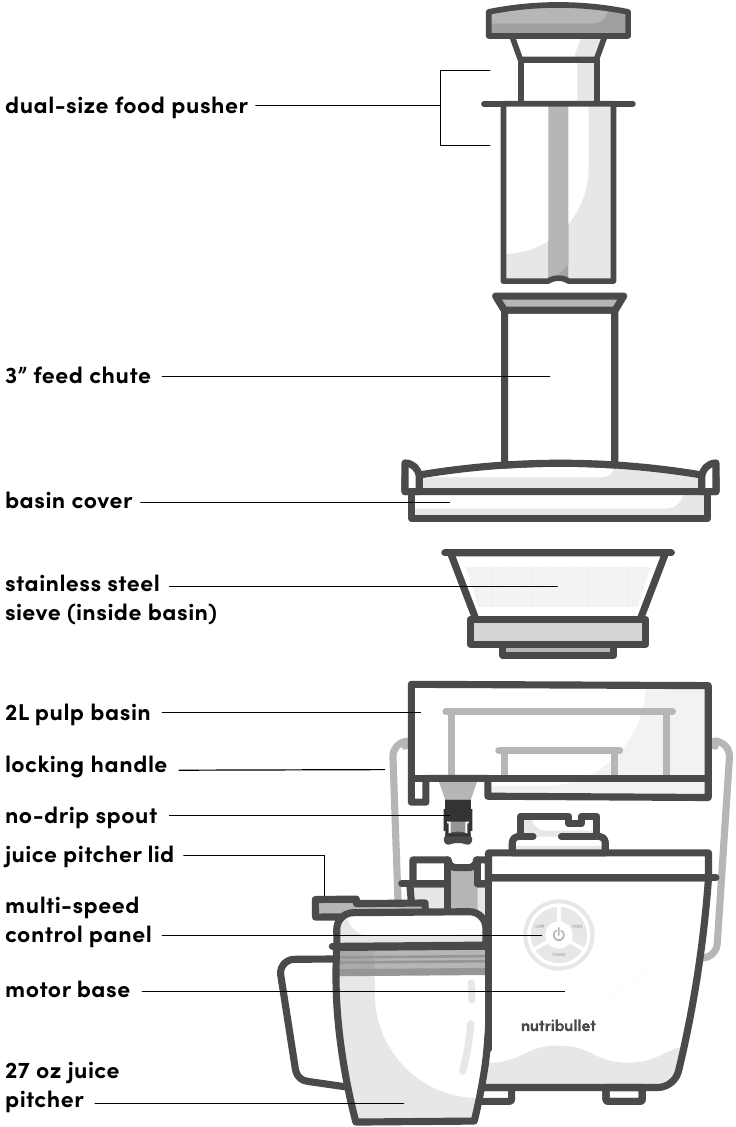
Nutribullet Juicer Pro models incorporate multiple safety features that prevent operation unless all components are correctly assembled. These mechanisms often cause “no power” symptoms when they malfunction or become obstructed.
Perfect Jar-to-Base Alignment Technique
Your Nutribullet Juicer Pro won’t activate unless the jar assembly locks perfectly onto the base unit. Remove the jar completely, then realign by matching the indicator arrows on both components. Press down firmly while twisting clockwise until you feel a distinct click—this confirms proper engagement with the safety lock mechanism.
Food residue and pulp buildup frequently interfere with the safety sensors. Clean the rubber sealing ring, jar base, and corresponding contact points on the juicer base with a damp cloth, removing any visible debris. Pay special attention to the small slots or openings around the connection point where food particles commonly accumulate. Allow all components to dry completely before reassembly.
Safety Switch Testing Procedure
If proper alignment and cleaning don’t restore function, the internal safety switch may have failed. This small component detects whether the jar is properly seated before allowing power to flow. With the unit unplugged, remove the bottom plate to access the base interior (typically secured by rubber feet covering screws).
Locate the small plastic lever or button near the jar seating area—this is your safety switch. Press it gently with your finger and verify it moves freely and springs back to position. If it sticks, clean around it with a cotton swab dipped in isopropyl alcohol. If the switch shows physical damage or fails to return to position, replacement is necessary.
Reset Overheating Protection System
Nutribullet Juicer Pro models include thermal protection that automatically shuts down the motor when excessive heat builds up—a common cause of sudden “no power” symptoms after extended use.
Proper Cool-Down Protocol After Overheating
If your juicer stopped working after processing several servings or particularly dense ingredients, thermal protection has likely activated. Unplug the unit and allow it to sit undisturbed for 45-60 minutes—this gives the motor ample time to cool completely and the thermal cutoff to reset automatically.
Pro tip: Never repeatedly press the power button while waiting for cool-down. This prevents the thermal protection circuit from properly resetting and may cause additional stress on the motor windings. Patience here is critical—most overheating issues resolve completely with adequate cooling time.
Prevent Recurring Overheating Problems
Overheating typically occurs when users exceed the juicer’s operational limits. To avoid future shutdowns, follow these usage guidelines:
– Process ingredients in 30-60 second intervals with 30-second rest periods between
– Cut hard vegetables like carrots into quarter-inch pieces before juicing
– Never attempt to juice frozen items without partial thawing
– Stop immediately if you hear the motor straining or slowing significantly
Regularly inspect and clean the ventilation slots around the base unit. Use a soft brush or compressed air to remove accumulated dust and debris that restrict airflow. Blocked vents cause the motor to overheat much faster, triggering premature shutdowns during normal operation.
Base Unit Component Diagnostics
When basic troubleshooting fails, the problem likely resides within the base unit itself—either with the motor assembly or electronic control components.
Sound-Based Motor Diagnosis
When attempting to activate your juicer, listen carefully for any sounds:
– Complete silence: Indicates no power reaches the motor (electrical issue)
– Humming sound: Suggests power reaches motor but rotation is blocked
– Clicking noise: Typically indicates safety switch or thermal cutoff activation
A humming sound often means something is physically preventing the motor from turning—possibly debris caught in the blade assembly or internal mechanical binding. Unplug the unit and check for obstructions in the blade housing before attempting further operation.
Motor Continuity Testing (Advanced)
For technically inclined users, multimeter testing can verify motor functionality. With the unit unplugged and disassembled to access the motor terminals, set your multimeter to resistance mode and test across the motor leads.
A healthy motor typically shows 5-50 ohms resistance. Infinite resistance (OL reading) indicates a broken internal circuit requiring motor replacement. Important: This test should only be performed by those comfortable with electrical diagnostics, as improper handling can create safety hazards.
Critical Mistakes That Worsen the Problem
Many well-intentioned troubleshooting attempts actually create additional problems or safety hazards when dealing with a non-functional Nutribullet Juicer Pro.
Never bypass safety mechanisms by taping down switches or modifying components—this voids warranties and creates serious injury risks from unexpected blade activation. Similarly, avoid disassembling the motor assembly unless you have electrical repair experience, as capacitors can retain dangerous charges even when unplugged.
Don’t force operation by holding the power button continuously. This overheats components further and may cause permanent damage that could have been avoided with proper diagnosis. If your juicer shows any signs of internal damage, burning smells, or visible arcing, stop all troubleshooting and consult a professional.
Recognizing When Replacement Is Necessary
Certain situations clearly indicate that repair isn’t practical or safe for the average user. If your Nutribullet Juicer Pro is still under warranty (typically 1 year), contact Nutribullet customer service before attempting any disassembly—unauthorized repairs void coverage.
Visible signs requiring professional evaluation include:
– Burning odors or smoke from the base unit
– Visible damage to internal wiring or components
– Water damage from improper cleaning
– Physical cracks in the motor housing
For out-of-warranty units, consider replacement if:
– Motor replacement costs exceed 50% of a new unit’s price
– Multiple components show signs of failure
– The unit has experienced liquid damage
– You lack the tools or expertise for safe repair
Preventative Maintenance for Reliable Operation
Extend your Nutribullet Juicer Pro’s lifespan with these simple maintenance practices. Clean all components thoroughly after each use, especially the base connection points where residue buildup commonly interferes with safety mechanisms.
Store your juicer with the jar removed from the base in a cool, dry location. Never wrap the power cord tightly around the base—this stresses internal wire connections and leads to premature cord failure. Periodically inspect the rubber sealing ring for cracks or hardening, replacing it at the first sign of wear.
By understanding your Nutribullet Juicer Pro’s common failure points and following this systematic troubleshooting approach, you’ll maximize uptime and minimize unnecessary replacements. Most “dead” juicers can be revived with proper diagnosis—saving you time, money, and the frustration of replacing a perfectly repairable appliance. Implement these maintenance practices to keep your juicer powering up reliably for years to come.



