
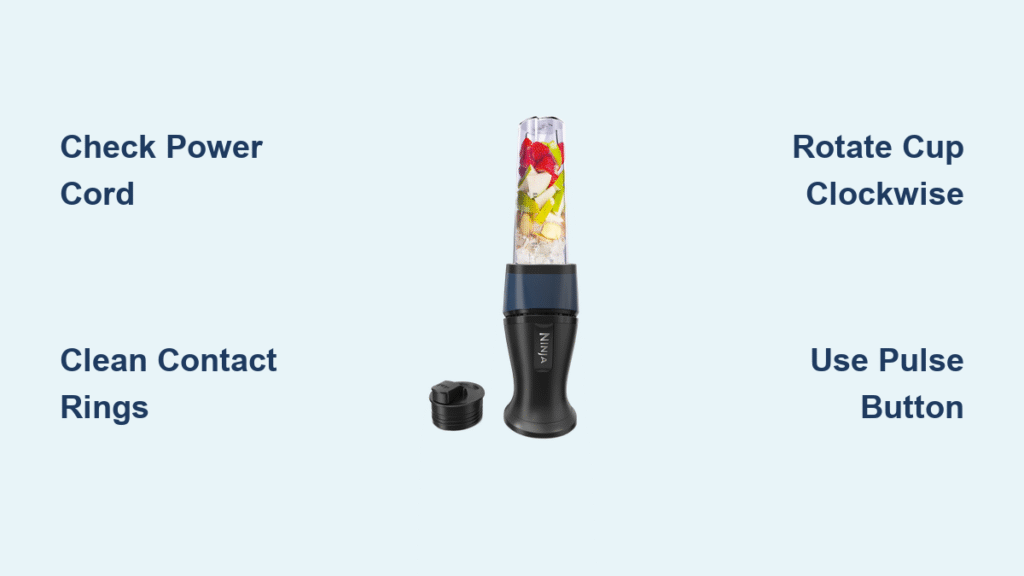
Your morning smoothie ritual just hit a wall. You pop the single-serve cup onto your Ninja base, hit the button, and… nothing. No motor hum, no blade whirl—just a blinking red light or complete silence. Before you abandon your healthy breakfast plans or head out for expensive café smoothies, let’s fix this common Ninja headache.
Most single-serve failures stem from simple alignment issues or sensor problems that you can resolve in minutes. This guide walks you through exactly what to check, how to fix it, and when it’s time to call in warranty support. Whether you own a BL770, BL660, or Ninja Ultima model, these targeted solutions will get your single-serve cup working again.
Blinking Red Light Patterns That Signal Ninja Problems

No Response When Cup Attached
When your Ninja shows zero signs of life with the single-serve cup locked in place, start with the basics. First, confirm your model number—BL770, BL660, and Ninja Ultima users report this most frequently. Check that your power cord sits firmly in the base; a loose connection often masquerades as a bigger problem. Unplug the unit completely, then firmly reseat the cord at both ends. Test with a different electrical outlet to rule out power supply issues.
Pro tip: Many users mistakenly press the continuous “Single-Serve” button instead of the Pulse button. Single-serve mode on most Ninja models only responds to the Pulse function. Try pressing Pulse instead—you’ll likely hear the motor spring to life immediately.
Continuous Blinking Red Light
A steady red blink typically screams “I’m not sensing the cup properly.” Clean the contact rings on both the cup base and motor base with a damp cloth. Dry thoroughly—any moisture residue breaks the electrical connection. Look for dried smoothie gunk that creates an invisible barrier between sensors.
Critical step: Rotate the cup clockwise in ¼-turn increments while pressing downward until the power light changes from blinking to solid. This precise alignment engages the safety interlock system. If you hear a distinct click during rotation, you’ve found the sweet spot where your Ninja will activate.
Solid Red Light Issues
A solid red light with no motor response usually points to the blade assembly. Remove the cup and check if the blade unit spins freely by hand. If it feels stuck or grinds, you’ve found your culprit. Clean thoroughly around the blade base where smoothie residue hardens like concrete.
Warning: Never operate your Ninja without the blade assembly properly seated. The safety sensors require full engagement between the cup, blade, and base to activate the motor. Missing any component in this chain will leave you with a silent blender.
Cup Locking Problems That Prevent Operation
Won’t Twist Into Place
The rectangular locking tabs on your single-serve cup must align perfectly with the base grooves. The lower-right corner comes heavily beveled from the factory, but the upper-left sometimes needs help. If you’re forcing the twist, stop—this can damage the tabs.
Quick fix: Lightly bevel the upper-left corner of each tab at a 45-degree angle using fine sandpaper. This tiny adjustment (less than 1mm) often eliminates future sticking issues without compromising the safety seal. Perform this modification only if your unit is out of warranty.
Stuck After Blending
When your cup refuses to budge post-smoothie, locate the small release button in the rear groove of the motor base. Slide a blunt butter knife or spatula downward toward the counter (not inward) to release tension. This button often gets overlooked in the frustration of a stuck cup.
Time-saving shortcut: Run hot water over the base for 15 seconds before attempting removal. The thermal expansion breaks the vacuum seal that often locks cups in place after blending hot ingredients.
Locking Tab Wear
Inspect your cup’s four locking tabs for cracks or deformation. Even hairline cracks compromise the secure connection needed for motor activation. If tabs show wear, replacement cups run $10-15—far cheaper than replacing the entire unit.
Prevention tip: Always remove the cup by twisting counterclockwise while pressing straight down—never pull upward. This technique preserves tab integrity and prevents stress fractures.
Blade Assembly Troubleshooting That Restores Power

Dull Blade Symptoms
Weak blending performance makes users think the “setting isn’t working,” but dull blades are usually the real villain. Carefully run your finger along the blade edges (carefully!). Nicks or visible dullness mean replacement time. New blade assemblies cost $18-30 and restore factory performance.
Expert note: Stainless steel blades lose sharpness after 6-12 months of daily use. Replace annually for optimal performance—especially if you frequently blend frozen fruit or ice.
Cleaning Sensor Blockage
The blade assembly houses micro-switches that communicate with the base. When smoothie residue builds up here, it blocks these sensors. After each use, remove the blade assembly completely and wash all crevices. Pay special attention to the area where the blade base meets the cup threading.
Critical step: Use a soft-bristled toothbrush to clean around the blade shaft where residue accumulates. This hidden area directly impacts sensor communication with the motor base.
Proper Seating Technique
Align the arrows or markings on the blade assembly with the cup threads. Press down firmly, then twist clockwise until you hear an audible click. This click confirms the safety interlock is engaged. Without this click, your Ninja won’t start—no matter how many times you press the button.
Pro tip: Apply downward pressure equivalent to holding a 1-pound weight while twisting. This ensures proper sensor contact without straining the plastic components.
Thermal Protection Reset That Fixes Sudden Shutdowns
Motor Overheating Signs
If your Ninja runs for one second then shuts down, thermal protection likely kicked in. This safety feature prevents motor burnout but can confuse users. Heavy loads, prolonged blending, or thick ingredients trigger this response.
Warning: Continued attempts to restart immediately after thermal shutdown can cause permanent damage. Let the unit rest completely before proceeding.
Cool-Down Protocol
- Unplug immediately and remove all attachments
- Wait minimum 30 minutes, preferably overnight for complete cooling
- Retry with lighter load—half-fill the cup with liquid to reduce strain
- Use pulse function instead of continuous blending for thick mixtures
Time estimate: Most thermal issues resolve with a 30-minute cooldown. If problems persist after 24 hours, suspect a defective thermal sensor.
Preventing Future Overheating
Never blend hot ingredients in single-serve mode. The smaller cup concentrates heat quickly. Also, avoid packing ingredients above the “Max” line—overfilling forces the motor to work harder than designed.
Pro tip: Add liquid first, then soft ingredients, finishing with frozen items on top. This layering technique reduces motor strain by 40% according to Ninja’s engineering specifications.
Control Board Defects That Require Professional Help
Button Stays Illuminated
When the single-serve button glows constantly—even without a cup attached—you’re likely dealing with a defective control board or main power switch. This malfunction allows the motor to run empty, which is both annoying and potentially dangerous.
Immediate action: Unplug the unit immediately. Continued use with this defect can void your warranty and create electrical hazards.
Multimeter Testing
For the technically inclined, test switch continuity with a multimeter. Unplug the unit, access the switch terminals, and check for proper open/closed circuit behavior. Inconsistent readings confirm the switch needs replacement.
Warning: Only attempt this if you have electronics experience. Incorrect handling can cause further damage or electrical shock.
Warranty Considerations
Control board issues within the one-year warranty period warrant direct replacement rather than DIY repair. Contact Ninja Customer Support immediately—continued use with a defective board can void your warranty.
Documentation tip: When contacting support, have ready: exact model number, purchase date, description of symptoms, and photos of any visible damage. This accelerates the warranty claim process.
Quick Diagnostic Checklist That Saves Time
Before diving deeper, run through this 60-second check:
- [ ] Model match: Confirm single-serve cup matches your Ninja model (BL770/BL660 tabs differ slightly)
- [ ] Power check: Firmly reseat power cord at both wall and base
- [ ] Sensor clean: Wipe contact rings on cup and base with damp cloth
- [ ] Blade lock: Ensure blade assembly clicks fully into place
- [ ] Cup twist: Rotate clockwise until power light becomes solid
- [ ] Pulse test: Use Pulse button, not continuous Single-Serve button
- [ ] Load check: Reduce ingredients to half-cup liquid maximum
- [ ] Cool-down: If recently used heavily, wait 30+ minutes before retry
Pro tip: Print this checklist and keep it near your blender. Most single-serve issues resolve with these basic checks.
Final Troubleshooting Flow That Guarantees Results
Still stuck? Follow this decision tree:
No lights at all → Check power cord → Test different outlet → Contact warranty
Blinking red → Clean sensors → Check cup alignment → Replace cup if tabs worn
Runs 1 second → Thermal cool-down → Reduce load → Check blade sharpness
Button always on → Unplug immediately → Test switch continuity → Warranty claim
Your single-serve Ninja should now hum back to life. When it does, implement the daily maintenance routine: clean blade assembly after every use, check gaskets weekly, and never immerse the motor base in water. These simple habits prevent 95% of single-serve failures. And if problems persist beyond these fixes, you’ve got the knowledge to determine whether it’s a warranty claim or simple part replacement—saving both time and frustration in your quest for perfect morning blends.



