
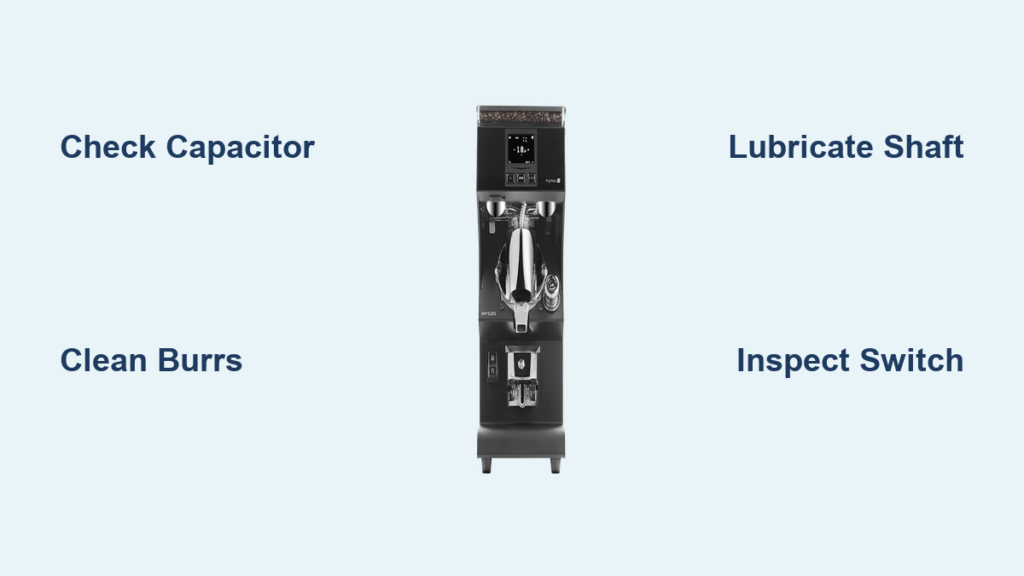
Your Mythos grinder sits there humming, but the beans aren’t processing into grounds. The motor clearly has power—it’s making that familiar buzz—but nothing’s actually grinding. This frustrating scenario typically rears its head when you’ve dialed in your espresso settings to that perfect 26-30 second extraction window, and now you’re stuck unable to pull a shot. The good news is that a Mythos grinder refusing to grind usually points to a handful of specific issues, and most of them are fixable without professional repair. Understanding what’s actually happening inside your grinder when this symptom appears puts you in control of the diagnosis and repair.
The grinding failure you’re experiencing falls into one of three categories: motor-related problems that prevent torque delivery, mechanical obstructions that bind the burrs, or electrical issues that interrupt power flow. Each category has distinct causes with their own characteristic signs, and identifying which category applies to your situation narrows down the solution dramatically. This guide walks you through the diagnostic process systematically, starting with the simplest checks before progressing to component-level repairs. By the end, you’ll understand exactly what’s causing your Mythos grinder not to grind and have clear steps to restore functionality.
Decode Why Your Mythos Won’t Grind
When your Mythos grinder runs without grinding, the motor is receiving electrical power but something is preventing that power from translating into burr rotation. The key diagnostic detail lies in what you hear: a steady hum indicates the motor is energized and attempting to spin, while clicking sounds suggest electrical contact problems instead. This distinction matters because it points you toward either mechanical or electrical causes, saving time during diagnosis.
The most common culprit behind a grinding failure is a weakened or failed run capacitor. The run capacitor works alongside a second set of motor windings to determine rotation direction and provide additional torque during operation. Unlike start capacitors that disengage after initial startup, run capacitors remain active throughout operation. When this capacitor weakens, your motor simply cannot generate enough torque to overcome the resistance of coffee beans, particularly at the fine settings required for espresso. The motor hums, it tries, but the burrs stay frozen.
Beyond the capacitor, several other issues can produce identical symptoms. A seized motor shaft binds at the bearing points even though the motor has power. Coffee grounds lodging inside the mechanism create physical blockages. A clogged activation switch interrupts power delivery intermittently. Bent blades or worn bearings create binding that the motor cannot overcome. Each of these causes has its own signature and its own solution, which we’ll explore in detail.
Fix Seized Motor Shaft Issues

A seized motor shaft produces a distinct humming sound without any grinding action, and this problem develops gradually as coffee residue accumulates at the bearing points. The shaft becomes constrained at the exact spots where it needs to rotate freely, creating enough friction to stall the motor despite full power application. This issue responds well to a straightforward lubrication procedure.
Begin by disconnecting your grinder from power completely—this cannot be emphasized enough, as you’re about to work on a motor with live electrical access points. Locate the motor shaft, which you’ll typically find accessible when the hopper or top burr assembly is removed. Examine the shaft surface carefully for accumulated coffee residue, grounds, or debris that might be creating the binding. Clean the shaft thoroughly using a clean cloth, removing all visible residue from the surface and the surrounding bearing area.
Once the shaft is clean, apply one to two drops of lightweight machine oil to each bearing point. Use a high-quality machine oil rather than cooking oils or heavy greases, as lightweight oil penetrates bearing surfaces without creating gummy buildup. After applying the oil, manually rotate the shaft by hand several times to work the lubricant into the bearing surfaces and verify that freedom of movement has been restored. You should feel a smooth, unrestricted rotation rather than any grinding or binding sensation. Reassemble any components you removed, restore power, and test the grinder with a small amount of coffee to confirm proper operation.
Replace Weak Capacitor
The capacitor in your Mythos grinder provides the extra torque needed to start the burrs spinning and maintain speed under load. When this component weakens, the motor lacks sufficient power to drive the burrs through coffee beans, particularly at fine grind settings where resistance is highest. The characteristic behavior of a weak capacitor is a motor that hums persistently but cannot achieve rotation—a perfect match for the grinding failure symptom.
Lower-speed Mythos models use a two-step capacitor system designed to provide additional startup torque during the first two seconds of operation before transitioning to half capacitance for normal running. You might hear what sounds like a small gear shift during startup when this system functions correctly. If this transition sound is absent, or if the motor struggles to reach proper speed, the capacitor system requires inspection. The absence of that startup transition sound strongly suggests capacitor problems.
Capacitor replacement requires identifying the correct replacement component for your specific Mythos model and installing it according to manufacturer specifications. This electrical repair demands caution: capacitors can retain dangerous charges even after the device is disconnected from power. If you’re uncomfortable working with appliance electronics, this repair is best left to a qualified technician. Those comfortable with electrical work should discharge the capacitor safely before handling, identify the correct replacement part using the model number, and install according to the grinder’s wiring diagram.
Clear Internal Blockages
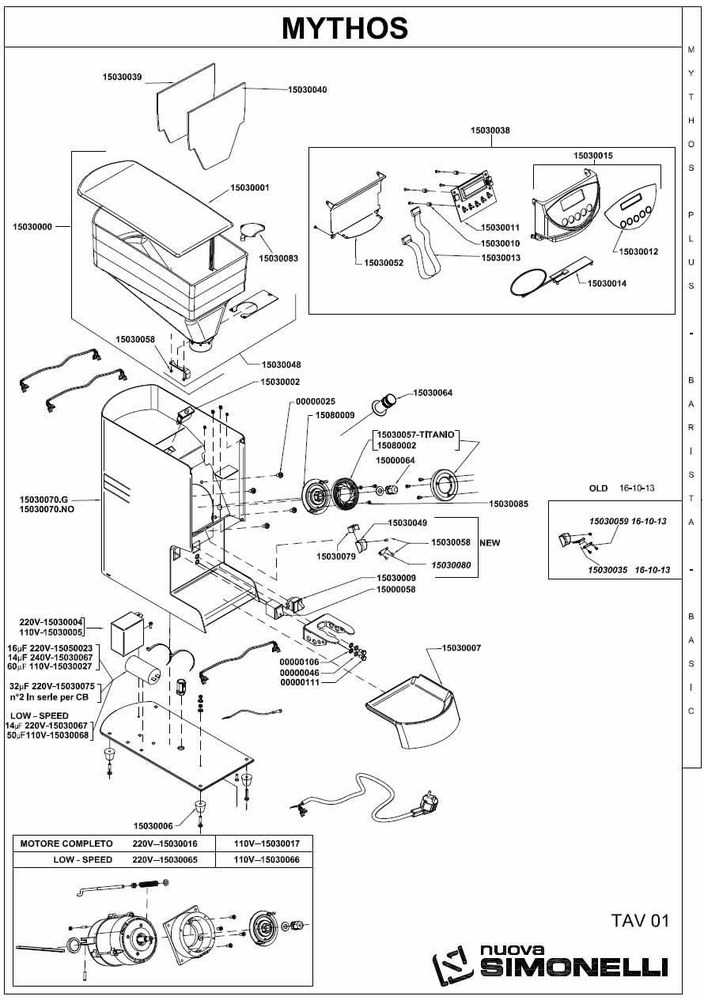
Coffee beans or grounds can accumulate within the internal mechanism of your Mythos grinder, creating physical obstructions that prevent burr rotation even when the motor operates at full capacity. This blockage prevents the drive system from transmitting power to the burrs, and the motor simply hums against the obstruction. Resolving this issue requires internal access and thorough cleaning of all coffee residue throughout the mechanism.
Disassembly procedures vary by specific Mythos model, but generally involve removing the hopper, top burr assembly, and any retention screws securing the housing. Once internal access is achieved, inspect all surfaces for accumulated coffee, paying particular attention to the area around the drive mechanism, burr mounting points, and any crevices where grounds can collect. Remove all debris using appropriate brushes and compressed air, working systematically to ensure nothing is missed.
During cleaning, take the opportunity to inspect components for damage that might have contributed to the blockage or resulted from it. Look for bent blades, damaged threads, or worn components that might need replacement. Once cleaning is complete, reassemble all components carefully, ensuring proper alignment of drive components and secure fastening of all retention hardware. Test with a small amount of coffee to confirm the blockage has been cleared and normal grinding function is restored.
Repair Faulty Activation Switch

The grinder’s activation switch can become clogged with accumulated coffee grounds or damaged over time, creating intermittent power delivery that prevents consistent motor operation. When the switch fails to make proper electrical contact, the motor may receive insufficient or inconsistent power, resulting in grinding failure or erratic operation. This issue often develops gradually as grounds work their way into the switch mechanism.
Disconnect power before investigating or cleaning the switch. Locate the activation switch, which is typically positioned where the on/off control interfaces with the electrical system. Examine the switch for visible coffee residue around the actuation point and housing seams. Clean using a fine brush to remove loose grounds from external surfaces and around the switch mechanism.
After external cleaning, use a toothpick to manually actuate the switch mechanism multiple times, pressing the activation point repeatedly to help dislodge any grounds that have worked into the internal contacts. This action helps clear internal debris that brushing cannot reach. Test the switch by checking for consistent electrical continuity when actuated and proper disconnection when released. If cleaning proves ineffective and the switch continues to exhibit inconsistent behavior, replacement is necessary. Install a new switch matching your Mythos model’s specifications, ensuring proper wire connections and secure mounting.
Essential First Steps Before Complex Repairs
When your Mythos grinder stops grinding, begin your diagnosis with the simplest potential causes before progressing to more invasive interventions. This approach saves time and effort by resolving many issues through basic maintenance before requiring disassembly or component replacement.
Start by disconnecting power and performing a visual inspection of accessible areas. Check for visible grounds accumulation around the activation switch, burr assembly, and base. Remove the hopper and inspect the top burr for obvious obstructions or damage. Try rotating the burr assembly manually by hand—this should move freely with minimal resistance. Binding or resistance during manual rotation points toward mechanical issues requiring further investigation, while free movement suggests the problem lies in power delivery or torque generation.
Listen carefully to the sound your grinder makes when activated. A steady, consistent hum indicates the motor is energized but not rotating—pointing toward capacitor issues, severe binding, or internal blockages. Clicking sounds suggest electrical contact problems, potentially within the switch or capacitor system. No sound at all despite activation indicates power delivery problems requiring switch or electrical inspection. These auditory clues guide your diagnostic approach efficiently toward the most likely cause.
Prevent Future Grinding Problems
Regular maintenance prevents the accumulation of coffee residues and wear that lead to grinding failures. Establishing a consistent cleaning schedule appropriate to your usage volume keeps your Mythos grinder operating reliably and extends its service life significantly.
Daily or after each use, run a small amount of dry grinds through the grinder to clear remaining grounds from the burrs. Weekly, perform a more thorough cleaning by brushing accessible surfaces and removing the hopper for visual inspection of the top burr. Monthly, consider running a grinder cleaning tablet through the mechanism to dissolve accumulated oils that brushing cannot remove. Quarterly, inspect the activation switch for grounds accumulation and clean as necessary.
Beyond cleaning, periodically check the motor bearings for adequate lubrication, particularly if you notice any change in motor sound or startup behavior. Commercial users grinding high volumes should establish maintenance intervals based on their specific output, with more frequent attention for heavier use. Keep the grinder’s exterior and activation controls clean, as grounds working into switch mechanisms create the intermittent electrical problems that lead to grinding failure. With consistent maintenance, your Mythos grinder should provide years of reliable service without the grinding failures that catch neglectful owners by surprise.



