
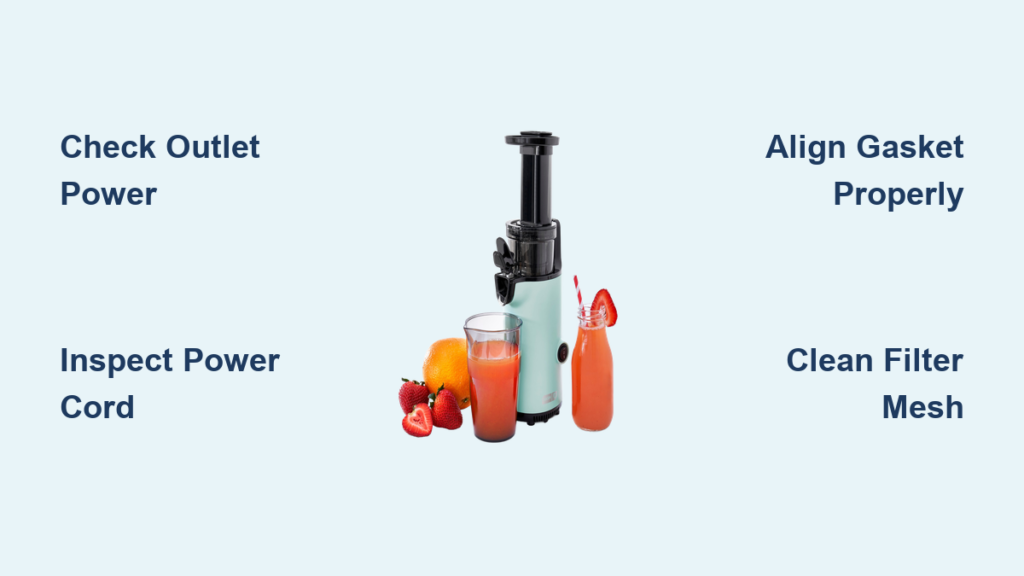
You’re ready for your morning juice when you discover your Dash juicer won’t power on. The frustration of a malfunctioning kitchen appliance hits hard, especially when you’re counting on fresh juice to kickstart your day. Dash juicers are popular countertop appliances known for their compact design and affordability, but like any electrical device, they can experience issues that leave you with pulp instead of juice. Without proper troubleshooting guidance, you might unnecessarily replace a perfectly fixable appliance or waste money on service calls for simple problems you could resolve yourself. This guide will walk you through the most common Dash juicer problems, their causes, and practical solutions you can implement immediately—saving you time, money, and the disappointment of missing your daily nutrient boost.
Power Issues That Stop Your Dash Juicer From Starting
Why Your Dash Juicer Won’t Turn On Despite Proper Plugging
When your Dash juicer refuses to power up, check these critical connections before assuming the worst. First, verify the outlet is functional by plugging in another device—many users overlook that kitchen outlets sometimes connect to wall switches. Next, inspect the power cord for visible damage or fraying near the plug or where it enters the juicer base. The safety interlock mechanism, which prevents operation when parts aren’t properly assembled, frequently causes “no power” symptoms. Ensure the pulp container clicks securely into place and the lid locks with an audible snap. If the juicer worked previously but suddenly stopped, the thermal fuse may have tripped due to overheating from extended use or blocked ventilation slots. Unplug the unit for 15 minutes to allow it to cool completely before attempting restart.
How to Test and Replace a Faulty Power Cord

If other devices work in the same outlet but your juicer remains dead, test the power cord continuity with a multimeter set to resistance mode. With the juicer unplugged, place one probe at the metal prong tip and the other at the cord’s connection point inside the juicer base (requires partial disassembly). A reading near zero ohms indicates a good connection, while “OL” (over limit) means the cord needs replacement. When ordering a replacement, match the voltage rating (typically 120V for US models) and wire gauge. To install, disconnect the old cord at both ends, thread the new cord through the strain relief, and secure the connections to the terminal screws following the same configuration. Always test with minimal juice ingredients first to verify proper operation before committing to a full juicing session.
Leaking Problems and Assembly Solutions
Why Your Dash Juicer Leaks During Operation and Quick Fixes
Juice leaking from the base or around the pitcher typically indicates improper assembly of the filter basket or pulp container. The rubber gasket that creates a seal between these components can become misaligned during hurried setup. Before each use, inspect the gasket for nicks or warping—replace it if damaged, as even small imperfections cause significant leaks. When assembling, rotate the pulp container clockwise until it locks into the base with resistance; forcing it straight down creates gaps. If leakage occurs only with harder produce like carrots or beets, you’re likely overfilling the feed chute. Process ingredients in smaller batches and use the pusher properly to maintain consistent pressure without jamming. For persistent leaks around the base, check if the motor shaft coupling has worn down, which requires professional repair or replacement.
Proper Assembly Sequence to Prevent Juice Spills
Follow this exact sequence to guarantee leak-free operation: 1) Place the filter basket into the pulp container with the spout aligned toward the front, 2) Position the rubber gasket over the basket’s top rim ensuring it sits flat without twists, 3) Set the pulp container onto the motor base with the spout facing away from the power cord, 4) Press down firmly while rotating clockwise until you feel resistance, 5) Insert the pitcher under the spout with its handle facing forward, 6) Lock the safety lid by aligning the arrows and pressing until it clicks. A pro tip: lightly moisten the gasket before assembly to improve the seal, especially in dry climates. Test your assembly by filling the juicer bowl with water before processing actual ingredients—if water leaks, disassemble and repeat the process.
Performance Problems and Juice Quality Issues
When Your Dash Juicer Produces Pulp Instead of Juice

Poor juice extraction usually stems from dull blades or incorrect produce preparation. Dash juicers use fast-spinning blades that dull over time, especially when processing fibrous greens or frozen ingredients. Check blades for nicks or rounded edges—sharpening is rarely effective, so replacement is typically necessary. Always prepare produce properly: remove large seeds, cut hard vegetables into 1-inch chunks, and avoid overloading the feed chute. Run harder items like apples alternating with softer ingredients like leafy greens to maintain optimal pulp ejection. If juice appears watery with excessive pulp, the filter mesh may be clogged; disassemble and clean thoroughly with a soft brush. For citrus-specific models, ensure you’re using the correct cone attachment sized for each fruit.
Cleaning Techniques That Restore Optimal Performance
Daily cleaning prevents 90% of performance issues but requires more than rinsing parts under the tap. After each use, disassemble all components immediately while pulp remains moist. Soak the filter basket, pulp container, and pitcher in warm, soapy water for 10 minutes to loosen residue. Use the included cleaning brush (or a soft toothbrush) to scrub both sides of the filter mesh, paying special attention to the microscopic holes that clog easily. Never use abrasive pads that scratch surfaces. For stubborn buildup, create a paste of baking soda and water, apply it to affected areas, and let sit for 15 minutes before gentle scrubbing. Dry all parts completely before storage—moisture causes mold and affects next-use performance. Monthly, perform a deep clean by running a solution of one part white vinegar to three parts water through the juicer to dissolve mineral deposits.
Maintenance and Prevention Strategies
Monthly Maintenance Routine to Extend Your Juicer’s Life
Preventative care doubles your Dash juicer’s lifespan with minimal effort. Each month, perform these critical checks: inspect motor vents for dust accumulation and clear with compressed air, examine the drive socket for wear (should grip the filter basket firmly without wobble), and test the thermal protection system by running the juicer continuously for 3 minutes—if it shuts off automatically, the safety feature works. Lubricate moving parts sparingly with food-grade mineral oil, focusing on the drive socket and any pivot points in the feed chute mechanism. Store the juicer with all parts assembled except the pitcher to maintain component alignment. Keep replacement gaskets and filters on hand—they’re inexpensive and prevent downtime when issues arise.
When to Seek Professional Repair Versus Replacement
Most Dash juicer problems are user-fixable, but certain issues warrant professional attention. Contact Dash support if you notice burning smells, smoke, or electrical arcing—these indicate serious internal faults. If the motor runs but doesn’t spin the filter basket, the drive coupling has likely failed and requires specialized tools to replace. For juicers under warranty (typically 1 year), always pursue manufacturer service first. Out of warranty, compare repair costs against replacement value—Dash juicers generally aren’t cost-effective to repair if the motor or base unit fails. However, if only consumable parts like filters or gaskets need replacing, continue using your current unit as these components cost a fraction of a new machine.
Final Note: Mastering these troubleshooting techniques transforms your Dash juicer from a frustrating appliance into a reliable daily companion. By addressing power issues promptly, ensuring proper assembly, optimizing performance through correct usage, and maintaining your machine regularly, you’ll enjoy years of nutritious juice without unnecessary replacements. Remember that most problems stem from simple assembly errors or neglected cleaning rather than mechanical failures. Keep this guide handy for quick reference whenever your juicer behaves unexpectedly, and consider bookmarking the official Dash support page for model-specific diagrams and parts ordering. With proper care, your Dash juicer will consistently deliver fresh, vibrant juice that makes the morning routine something to anticipate rather than dread.



