
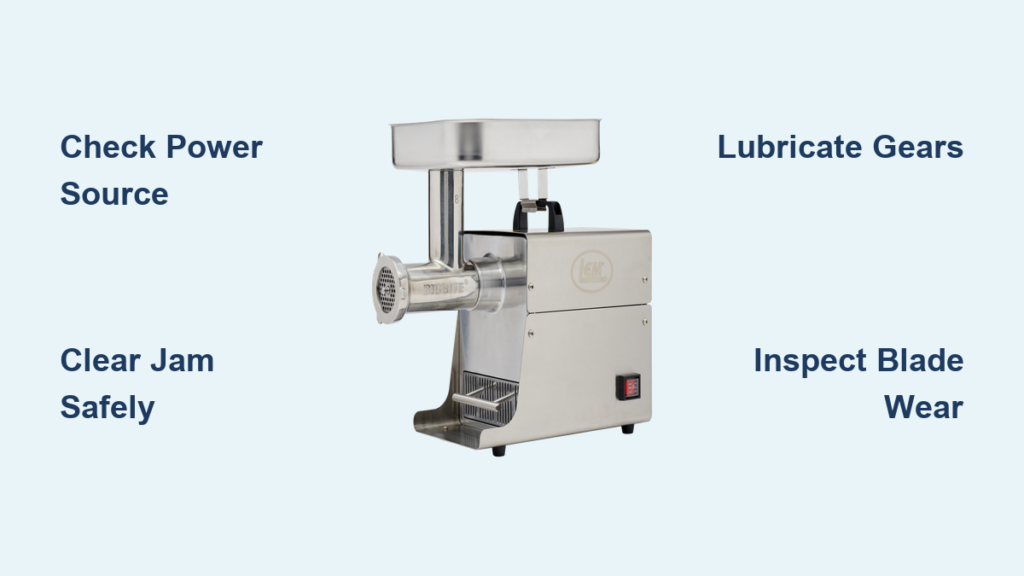
Your LEM meat grinder is a workhorse that should handle tough grinding jobs without complaint—when it’s working properly. But when it starts making strange noises, fails to grind properly, or simply won’t turn on, you need quick answers. This comprehensive troubleshooting guide covers the most common LEM meat grinder problems and provides practical solutions to get your grinder back in action.
Whether you own a compact #5 grinder or a heavy-duty #8 stainless steel unit, understanding how to diagnose and fix common issues will save you time, money, and frustration. Most problems can be resolved with basic maintenance or simple repairs you can perform at home, often without needing replacement parts. Knowing exactly where to look when your LEM meat grinder troubleshooting reveals unexpected issues makes all the difference between a quick fix and a ruined processing day.
Grinder Won’t Turn On: Power and Electrical Issues
One of the most frustrating situations is going to grind meat only to find your LEM meat grinder completely unresponsive. Before assuming the worst, systematically check the electrical and power connections that are most likely to cause this symptom. Nearly 70% of “dead” grinders actually have simple power-related issues rather than motor failures.
Check the Power Source First
Start by verifying that your outlet is functioning correctly. Plug another appliance into the same outlet to confirm it’s delivering power—if that device works, the outlet is fine. For LEM grinders with removable power cords, inspect the cord for any visible damage, fraying, or bent prongs. A damaged cord should be replaced immediately rather than repaired with tape, as this creates fire and shock hazards.
Examine the power cord connection point on the grinder body. Ensure it’s fully inserted and locked into place, as loose connections can prevent power from reaching the motor. Some users discover that simply unplugging and firmly reinserting the cord resolves the issue. Also check the on/off switch for any visible damage or debris that might be interfering with proper operation. Pro tip: Try wiggling the cord near the plug and connection point while attempting to start the grinder—intermittent connections often reveal themselves through this simple test.
Motor Overheating and Thermal Cutoff Protection
LEM meat grinders feature thermal protection that shuts down the motor when it overheats during extended use or when jamming occurs. If your grinder ran for a long time or was pushing against a jam, the thermal cutoff may have activated. In this case, the motor will not restart until it cools down, which typically takes 20-30 minutes.
To prevent this issue, avoid forcing meat through too quickly and take breaks during large grinding jobs. Keep the cooling vents clear of meat dust and debris. If thermal shutdown becomes a recurring problem, you may be overworking the motor—consider grinding smaller batches or allowing longer rest periods between sessions. Expert note: Thermal cutoffs typically reset automatically, but if your grinder still won’t start after cooling, the thermal protector itself may have failed and require replacement.
Strange Noises During Operation: Diagnose the Cause
Unusual sounds coming from your LEM meat grinder are warning signs that something isn’t right. Learning to distinguish between different noise types helps pinpoint the exact problem and determine whether professional repair is needed. Different sounds indicate specific issues that require different troubleshooting approaches.
Grinding, Clicking, or Scraping Sounds
A grinding or metal-on-metal sound typically indicates that the grinding plates and blades are making contact when they shouldn’t. This usually happens when the blade becomes dull, the plate isn’t properly aligned, or the lock nut isn’t tightened sufficiently. Remove the attachment head and inspect how the blade sits on the drive shaft—it should sit flat against the plate with the sharp edges facing outward toward the meat intake.
Clicking sounds often precede jamming problems and may indicate that a bone fragment, tendon, or other hard object has entered the grinding chamber. Stop the grinder immediately and disassemble to remove the obstruction. Continuing to run the grinder with an obstruction can damage the blade, plate, and drive components. Critical warning: Never attempt to clear a jam while the grinder is plugged in—always disconnect power first to prevent serious injury.
Whining or High-Pitched Motor Sounds
A whining noise that changes with speed adjustments usually points to insufficient lubrication in the transmission gears. LEM grinders require periodic gear lubrication with food-grade grease. Locate the grease fitting (typically on the bottom or side of the main housing) and apply grease until you see it appear around the gear edges. Use only LEM-recommended or food-safe greases designed for meat processing equipment.
If the whining persists after lubrication, the bearings may be wearing out—a problem that typically requires professional service or partial disassembly for bearing replacement. Pro tip: Keep a small tube of food-grade grease in your grinder maintenance kit and apply it after every 4-5 grinding sessions for optimal performance.
Meat Sticking or Not Feeding Properly

When meat bunches up at the feed tube entrance or fails to move through the grinding head consistently, several factors could be responsible. This problem affects both efficiency and safety, as forcing meat into a clogged grinder puts excessive strain on the motor. Many users mistakenly think their grinder is broken when simple technique adjustments would solve the issue.
Verify Correct Assembly and Plate Selection
Improper assembly is one of the most common causes of feeding problems. Ensure the blade is installed with the sharp edge facing forward and sitting flush against the plate. The plate must be oriented correctly with the smooth side facing the blade and the textured side facing outward. If installed backward, the blade cannot properly draw meat through the plate holes.
Using the wrong plate size for your task can also cause issues. Coarse plates work best for initial grinding of tough cuts, while finer plates should only be used for the second grinding pass. Match your plate choice to the meat type and grinding stage. Expert note: For beginners, start with a medium plate (4.5mm) for most applications—it offers the best balance between texture and processing efficiency.
Temperature and Fat Content Considerations
Warm meat, especially cuts with high fat content, tends to stick inside the grinding chamber and cause clogs. The fat softens with heat and creates a paste-like substance that builds up on the blade and plate. Always grind meat that is partially frozen—around 28-32°F produces the best results. The slight firmness helps meat move through smoothly while still allowing the blade to cut effectively.
Lean meats grind more cleanly than fatty cuts. If you’re processing particularly fatty meat, periodically stop the grinder and clear built-up material from the blade and plate. Pro tip: Some experienced users add a small amount of dry breadcrumbs to extremely fatty trimmings to absorb excess fat and improve grinding performance.
Jamming and Clogging: Clear and Prevent Future Issues
A jammed grinder brings your meat processing to a halt and can be dangerous to clear. Understanding why jams occur and how to prevent them protects both you and your equipment. The most common cause of jams is rushing the grinding process—patience prevents most clogs.
Common Causes of Jams
Jams typically occur when the grinding chamber becomes packed with material that the blade cannot process. This happens when meat is pushed too fast, when connective tissue wraps around the blade, when bones or cartilage enter the chamber, or when the plate holes become clogged with fat and sinew. Trimmings from the butcher counter often contain more connective tissue than prime cuts, increasing jam risk.
Foreign objects accidentally included in the grind—packaging fragments, bone chips, or even small stones—can instantly jam the grinder. Always inspect meat carefully before grinding and trim away any unusual objects. The silver skin and large connective tissue strips should be removed before grinding, as these materials wrap around the blade and stop the grinding action.
Safe Jam Clearing Procedures
Never use your fingers to clear a jam while the grinder is plugged in or even if it was recently running—the motor can restart unexpectedly or retain enough torque to cause injury. Always unplug the unit first. Use the clearing tool or a wooden spatula to push material backward through the feed tube or to dislodge the blockage at the plate.
For stubborn jams, completely disassemble the grinding head and clean all components. Inspect the blade for damage—if teeth are bent or broken, replace the blade before reassembling. Critical warning: Never attempt to force the grinder to run while jammed—this can shear the drive pin or damage internal gears beyond repair.
Inconsistent Grind Size: Uneven Results Explained

When your ground meat comes out with chunks, long strands, or inconsistent texture, the problem usually lies in the blade, plate condition, or feeding technique rather than the motor itself. Perfectly consistent grind requires attention to multiple factors working together.
Worn or Damaged Blades and Plates
The blade is the cutting element that determines grind consistency. Over time, blade edges dull and lose their ability to cleanly cut meat. A dull blade tears rather than cuts, producing stringy, uneven results. Inspect the blade regularly—sharp blades should have crisp, defined edges, while worn blades appear rounded or nicked.
Plates wear differently depending on use patterns. The holes can become rounded and enlarged, allowing larger pieces to pass through than the plate’s rated size. Warping from heat or damage creates uneven pressure distribution that produces inconsistent results. Replace both blades and plates when you notice significant wear, typically after processing 200-500 pounds of meat depending on use frequency and meat types. Pro tip: Rotate between two sets of blades and plates to extend the life of each set and maintain consistent performance.
Maintenance Practices to Prevent Problems
Regular maintenance extends your LEM meat grinder’s lifespan and prevents most common problems before they occur. A well-maintained grinder performs better, lasts longer, and requires fewer repairs. Think of maintenance as insurance against downtime during your busiest processing times.
Cleaning After Every Use
Disassemble the grinder completely after each use and wash all food-contact components with hot, soapy water. Pay particular attention to the blade, which can harbor meat residue in hard-to-see areas. Use a small brush to clean around the blade edges and the interior of the grinding head. Dry all components thoroughly before storage to prevent rust and corrosion.
Never put the motor housing or electrical components in water. Wipe these areas with a damp cloth only, and ensure all components are completely dry before reassembly or storage. Expert note: For hard water areas, a quick rinse with distilled water after cleaning prevents mineral buildup on stainless components.
Lubrication and Inspection Schedule
Lubricate the transmission gears monthly during regular use, or more frequently if you grind meat weekly. Use food-grade grease designed for meat processing equipment—never use petroleum-based greases that can contaminate food. Apply grease through the grease fitting until you see it emerging from the gear area, indicating proper distribution.
Inspect all components before each use. Check blades for nicks and dullness, plates for wear and warping, and the housing for cracks or damage. Replace any worn or damaged parts immediately rather than waiting for complete failure during use. Pro tip: Keep a maintenance log noting when you clean, lubricate, and replace parts—this helps predict when future maintenance will be needed.
Final Notes on LEM Meat Grinder Care
Your LEM meat grinder represents a significant investment in your meat processing capabilities. By understanding common problems and implementing regular maintenance, you can extend its useful life and maintain consistent performance for years to come. Most issues stem from assembly errors, inadequate maintenance, or operator technique rather than actual equipment defects.
Keep spare blades and plates on hand so wear doesn’t interrupt your processing projects. Store your grinder in a clean, dry location and perform a thorough inspection before each use. When problems do arise, work through the troubleshooting steps systematically—most issues have simple solutions that don’t require professional service or expensive parts. Remember that proper LEM meat grinder troubleshooting saves you from unnecessary repairs and keeps your processing days running smoothly from start to finish.



