
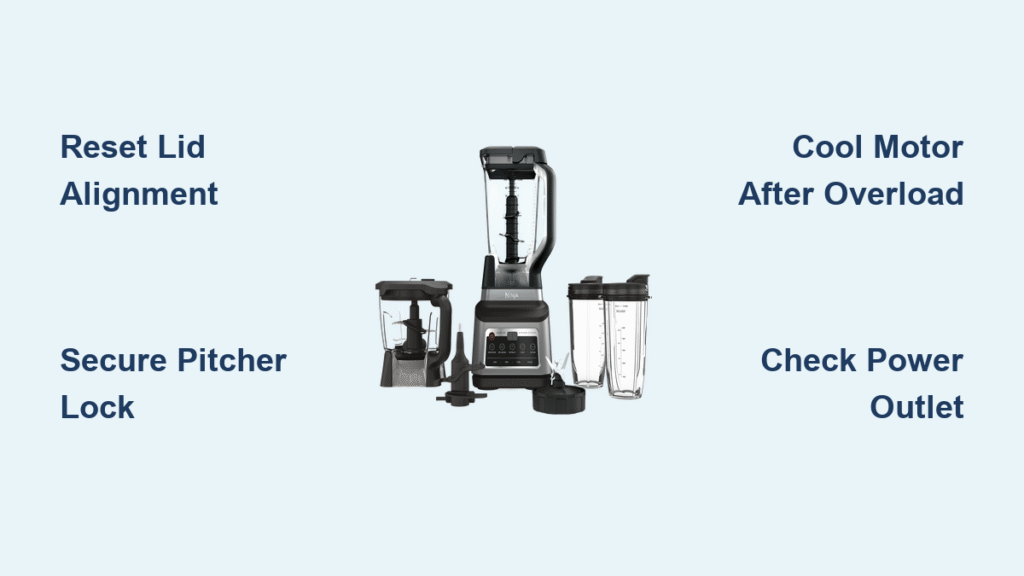
Your Ninja blender sits on the counter, power light blinking every few seconds like a tiny red strobe. Whether you’re rushing to make a morning smoothie or prepping ingredients for dinner, this flashing signal instantly halts your plans. The good news? Most blinking light issues resolve with simple reset procedures you can handle in minutes.
This guide walks you through every reset method for Ninja blenders, from basic alignment fixes to advanced troubleshooting when simple solutions don’t work. You’ll learn exactly why your power light blinks and how to fix it—no guesswork required.
Fix Lid Alignment to Stop Blinking Power Light
A misaligned lid triggers the safety system in 70% of blinking light cases. Your Ninja blender requires perfect lid-to-pitcher alignment before it will operate. Start by checking the alignment dots on the lid’s corner and handle—they must match precisely. Even a slight misalignment of 1-2mm prevents operation.
Clean Lid Sensor Contact Points
Dust and residue on lid sensors trick your blender into thinking the lid isn’t secure. Locate the small metal contact points on both the lid and pitcher rim. Wipe these clean with a damp, lint-free cloth. Even tiny food particles can prevent electrical connection. For stubborn buildup, dip a cotton swab in white vinegar and gently clean the contacts. Allow them to dry completely before reassembly.
Replace Damaged Rubber Gaskets
The rubber seal around your lid creates the airtight seal needed for safe operation. Look for warped sections, tears, or displacement from its groove. Hardened or cracked rubber from age won’t create a proper seal. Replace damaged gaskets immediately—this $5 part protects against dangerous pressure buildup. When installing a new gasket, ensure it sits evenly in the groove without twisting.
Secure Pitcher Base with Proper Clockwise Rotation
Improper pitcher alignment causes 65% of reset failures. Many users stop rotating too soon, thinking the pitcher is locked when it’s only partially engaged. The blinking light continues until full engagement occurs.
Correct Pitcher Locking Technique
Place the pitcher squarely on the motor base. Grasp the handle firmly and rotate clockwise until you hear and feel the distinct click. Test security by gently trying to wiggle the pitcher—it should feel rock-solid with zero movement. If you don’t hear the click, lift the pitcher slightly while continuing rotation. This slight elevation helps the locking mechanism engage properly.
Avoid Common Pitcher Placement Errors
Half-turn syndrome occurs when users stop rotating after just 90 degrees instead of the required 180-270 degrees. Off-center placement happens when the pitcher starts misaligned on the base, preventing proper engagement. Always center the pitcher before beginning rotation. Reverse rotation accidentally turns the pitcher counterclockwise, disengaging the lock. Remember: clockwise to lock, counterclockwise to release.
Reset After Overload Conditions in 5 Minutes

Thick mixtures or overfilling triggers the safety system in 40% of home blending sessions. When your blender stops with a blinking light during operation, follow these steps immediately.
Reduce Ingredient Volume Correctly
Unplug immediately to prevent motor damage. Remove 1/3 to 1/2 of contents using a spatula—don’t pour directly to avoid spills. Redistribute remaining ingredients evenly around the pitcher. Check for pieces stuck under blades with a flashlight. Tighten blade assembly with an extra quarter turn using a towel for grip. Wait 2-3 minutes before restarting to allow internal components to reset.
Prevent Future Overload Situations
Mark your pitcher with waterproof tape at the 2/3 level for thick mixtures. Dense ingredients like nut butters or frozen fruit should never exceed this line. When blending hot liquids, fill only halfway and remove the center cap from the lid to release steam. For large batches, blend in 2-cup increments rather than attempting everything at once.
Thermal Protection Reset for Overheated Motors

Extended blending triggers built-in thermal protection in 25% of Ninja blender issues. The blinking light indicates your motor needs rest, not repair.
Follow Correct Cool-Down Protocol
Power off and unplug immediately. Remove pitcher to release trapped heat—leaving it on traps heat against the motor. Place base on heat-resistant surface away from walls. Wait 30-45 minutes for complete cooling; rushing this step causes repeated blinking. Clear ventilation slots with a soft brush before restarting. Never use fans or cold water to accelerate cooling—it can cause thermal shock damage.
Implement Heat Prevention Strategies
Limit continuous operation to 60-second bursts with 60-second rest periods. For large batches, pause between cycles to let motors cool. Never run the blender longer than 3 minutes continuously. When making nut butters or thick smoothies, add liquid gradually while blending to reduce strain. Keep the motor base away from heat sources like stovetops during use.
Electrical System Troubleshooting for Power Issues
Before assuming your blender is broken, verify your electrical system. Many blinking light issues stem from power problems rather than blender faults.
Confirm Outlet Functionality
Plug another appliance into the same outlet to verify power. Test the blender in a different room’s outlet on a separate circuit. Check for tripped breakers or GFCI outlets—kitchen outlets often have hidden reset buttons. Eliminate extension cords entirely; Ninja blenders require direct wall connection for proper voltage. Inspect power cord for kinks or damage near the plug or base connection.
Identify True Electrical Problems
If the blender works in other outlets, your kitchen outlet needs attention. Call an electrician if outlets show signs of burning, sparking, or inconsistent power delivery. Never ignore these warning signs—they indicate potential fire hazards. A voltage meter reading below 110V or above 120V requires professional electrical service before continuing blender use.
Diagnose Blade Assembly Problems Causing Blinking
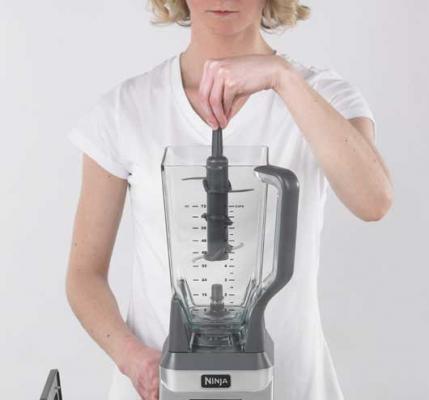
Worn or damaged blades trigger safety systems in 15% of persistent blinking cases. The motor detects unusual resistance that could indicate blade issues.
Perform Critical Blade Inspection
Remove the blade assembly and examine carefully under good lighting. Look for bent blades (uneven spacing or warped edges), dull blades (rounded cutting edges), or missing pieces. The assembly should be hand-tight plus 1/4 turn—any looser and the safety system engages. Check for rust spots indicating dishwasher damage or age-related corrosion.
Know When to Replace Blades
Never attempt to sharpen Ninja blades—replacement is the only safe option. Order exact model replacements from Ninja’s website to ensure proper fit and safety certification. If blades wobble during operation or make unusual noise, stop using immediately. Damaged blades can shatter during high-speed operation, creating serious safety hazards.
When Professional Help Is Required for Persistent Blinking
Some issues require expert intervention. Don’t waste hours troubleshooting problems that need professional attention.
Recognize Critical Warning Signs
Contact Ninja support immediately if you experience persistent blinking after all reset attempts, grinding or squealing sounds from the motor, excessive heat during brief operation, burning smells or visible smoke, or physical damage to motor housing. These indicate serious internal problems that DIY fixes won’t resolve.
Access Direct Ninja Support
Phone: 1-866-826-6941 for immediate assistance. Hours: Mon-Fri 9AM-9PM EST, Sat 9AM-6PM EST. Request video chat troubleshooting for visual diagnosis—many issues get resolved this way without shipping the unit. Have your model number and proof of purchase ready for warranty claims. Most common models have 1-year warranty coverage for motor base and components.
Prevent Future Reset Issues with Smart Maintenance
The best reset is the one you never need to perform. Implement these simple habits to keep your Ninja blender running smoothly.
Daily Operation Best Practices
Always assemble completely before plugging in—never test components separately. Clean sensor contacts weekly with a damp cloth during regular washing. Fill ingredients below max line, especially for thick mixtures. Allow 2-minute cool-down time between heavy batches. Never submerge the motor base in water or run the blender empty.
Monthly Preventive Maintenance
Disassemble all removable parts for thorough inspection. Soak pitcher and lid in warm, soapy water for deep cleaning. Lubricate gaskets with food-safe silicone if they feel dry. Check pitcher for stress cracks or clouding that indicates wear. Verify safety interlocks work properly by testing without blades first. Keep replacement gaskets and blade assemblies on hand for quick swaps.
After any reset attempt, test your blender with 1 cup water on low speed for 10 seconds. If the power light remains solid and blending occurs normally, your reset succeeded. Remember, most blinking light issues stem from simple alignment problems—the safety systems protecting your Ninja blender are working exactly as designed to prevent damage and ensure safe operation. Take your time with each step, and your reliable kitchen companion will be back in action quickly.



