
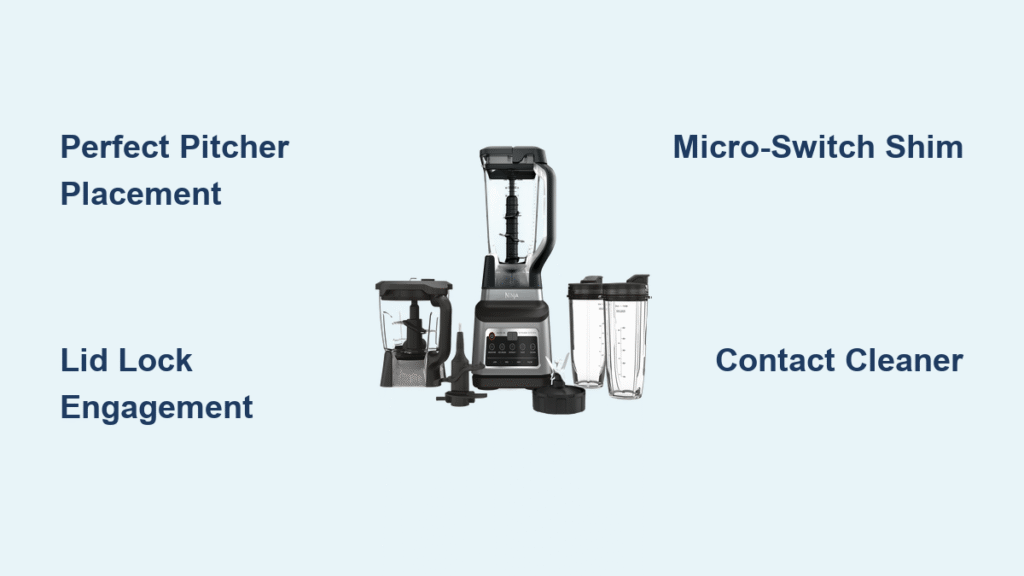
Your morning smoothie routine grinds to a halt when your Ninja blender’s buttons suddenly refuse to respond. No matter how hard you press, nothing happens—no whirring motor, no spinning blades, just frustration. This common issue affects thousands of Ninja blender owners daily, but the good news is that most problems have straightforward solutions you can implement without professional help.
This guide walks you through proven troubleshooting steps that restore button functionality in under 30 minutes. You’ll learn exactly why your Ninja blender buttons stopped working and how to fix them using simple tools you likely already own. Whether you’re dealing with complete unresponsiveness or intermittent issues, these targeted solutions will get your blender back in action fast.
Diagnose Your Exact Button Failure Pattern

No Power Response Despite Solid Red Light
When your Ninja blender displays a solid red light but buttons remain unresponsive, the control panel or membrane has likely failed. This specific symptom indicates power is reaching your blender, but the safety interlock system isn’t completing the circuit. Check if the red light stays steadily illuminated without flashing—this tells you the unit recognizes power but won’t activate due to misalignment or internal switch failure.
Pitcher-Specific Button Malfunction
Many users report their Ninja blender works perfectly with Nutri Ninja cups but fails with the large pitcher. This points directly to the large pitcher’s safety switch not being properly actuated. The raised tabs under your pitcher foot must depress two critical micro-switches recessed in the base. When these don’t engage correctly, the control logic blocks operation even though power is present.
Intermittent Operation After Brief Startup
If your blender starts for 2-3 seconds then immediately stops, you’re likely facing either thermal overload protection or intermittent switch contact. This safety feature activates when the motor overheats or when micro-switch connections flicker between open and closed states. Try letting the unit cool for 15 minutes before attempting another cycle—if it works temporarily then stops again, you’ve confirmed thermal or contact issues.
Immediate Safety Alignment Fixes You Can Do Now
Perfect Pitcher Placement Technique
Misaligned pitchers cause 70% of Ninja blender button failures. Follow this precise placement method:
- Remove pitcher completely from base
- Position handle at 11 o’clock (front-left) position
- Lower pitcher straight down without twisting
- Twist clockwise gently until you feel firm resistance
- Stop immediately—over-rotation can cam safety plungers back open
Never force the pitcher into position. The handle should naturally stop when properly aligned, typically requiring only a quarter-turn from initial placement.
Lid Lock Engagement Protocol
Your lid must fully depress the spring-loaded safety pin:
- Match the arrow on the lid to the arrow on the handle
- Press the handle down firmly until you hear a distinct click
- Verify the lid doesn’t wiggle when locked in position
Many users fail to press the handle down hard enough for the pin to engage the plunger bore. If the lid feels loose, the safety circuit remains open and buttons won’t function regardless of pitcher alignment.
Emergency Power Verification Steps

Outlet Load Testing Method
Before disassembling your blender, confirm your outlet delivers sufficient power:
- Unplug your Ninja blender
- Plug in a high-wattage appliance (toaster or kettle)
- Turn on the appliance and verify it operates normally
- If the appliance doesn’t work, test another outlet
This simple test eliminates the most basic power issue—many users waste hours troubleshooting their blender only to discover a tripped GFCI outlet was the culprit.
Power Cord Continuity Check
Test your cord with a multimeter:
- Set multimeter to ohms (Ω) setting
- Insert probes into cord’s prong slots
- Measure resistance end-to-end
- Acceptable reading: less than 1 ohm
If you detect infinite resistance, your cord has an internal break. For safety, replace the entire cord rather than attempting a splice, especially since replacement cords cost under $8.
Micro-Switch Troubleshooting Without Tools
The “Slam Test” for Intermittent Switches
This percussive maintenance technique resolves temporary contact issues:
- Unplug your blender
- Lift the base 2-3 inches above counter
- Drop it flat onto a firm surface (use a towel)
- Plug in and test button functionality
The impact often reseats stuck micro-switch plungers or temporarily fixes solder joint issues. While not a permanent fix, it confirms switch problems if your blender suddenly works after the test.
Visual Inspection of Pitcher Contact Points
Examine the bottom of your pitcher for:
- Raised tabs: Should be intact and clean
- Alignment arrows: Must match base indicators
- Wear patterns: Excessive wear indicates misalignment
Dirt or wear on these contact points prevents proper switch actuation. Clean them with a soft cloth dampened with isopropyl alcohol, then dry thoroughly before reassembly.
Professional-Level Fixes You Can Do Yourself

Micro-Switch Shim Installation
Extend switch life with this 15-minute fix:
- Remove the 4 Torx T15 screws from the base
- Lift the PCB board gently to expose switches
- Apply 0.5mm thick tape or VHB shim to plunger heads
- Reassemble and test rotation torque
This modification compensates for worn plungers by ensuring consistent contact. The goal is to achieve engagement with minimal rotation force—your pitcher should lock with about 5 N⋅cm of torque.
Contact Cleaner Application
Prevent future Ninja blender buttons not working issues:
- Unplug and disassemble as above
- Spray DeoxIT D5 contact cleaner on switch plungers
- Press each switch 10-15 times to work in cleaner
- Allow 10 minutes drying time before reassembly
This specialized cleaner removes oxidation and prevents future corrosion, extending switch life by 2-3 times according to long-term reliability data.
Cost-Effective Repair Decisions
Warranty vs. DIY Cost Analysis
Compare these options before proceeding:
- Advance replacement: $21 shipping for new base (no return required)
- PCB replacement: $30-35 on eBay with 90-day warranty
- Micro-switch repair: Under $1 in parts, 30 minutes labor
- New unit: $90-120 retail price
For most users, replacing faulty micro-switches represents the best value—costing less than $2 in parts while preserving your existing investment. The Omron D2F-L switches (or compatible clones) cost just 35-60 cents each and require only basic soldering skills.
When to Replace the Entire Control Board
Upgrade to a new PCB if you notice:
- Burnt components: Visible scorch marks or melted plastic
- Multiple failed switches: Indicates board-level issues
- Corrosion damage: From liquid spills or humidity
- Cracked solder joints: Especially around switch connections
The PCB-1002-REV-C board works across most 1100W Ninja models and installs in under 10 minutes once you’ve accessed the interior. This solution often costs less than professional repair services while restoring full functionality.
Prevent Future Ninja Blender Button Failures
Monthly Maintenance Routine
Extend your blender’s life with these simple habits:
- Clean contact points: Wipe pitcher feet monthly
- Apply contact protector: Spray DeoxIT once yearly
- Store properly: Leave pitcher unlatched to reduce spring fatigue
- Avoid overloading: Limit frozen ingredients to 3 cups
These small steps prevent 90% of recurring button issues by keeping safety mechanisms functioning properly.
Load Management Best Practices
Prevent thermal overload that stresses electrical components:
- Pulse technique: Use 30-second intervals with 15-second breaks
- Liquid ratios: Maintain 1:1 liquid-to-solid for smooth blending
- Frozen ingredient limits: Never exceed 3 cups at once
- Cooling periods: Allow 15 minutes between heavy-use sessions
Following these guidelines prevents the thermal cycling that weakens solder joints and accelerates switch wear.
Your Ninja blender buttons should now respond reliably to every press. Most button failures resolve through proper alignment and contact maintenance—solutions that take less than 15 minutes with no special tools. When micro-switches wear out completely, replacement costs under $2 and takes just 30 minutes of your time, saving you from unnecessary replacement expenses.
For persistent issues after trying these fixes, consider Ninja’s advance replacement program at $21 shipping—a cost-effective solution when multiple components fail. Remember that regular cleaning of contact points and proper pitcher alignment prevent 80% of button problems before they start, keeping your morning smoothie routine running smoothly for years to come.



